Sell downloads and set prices
Put a price on each photo in a gallery, add an optional price for the whole gallery and see what your client is offered.
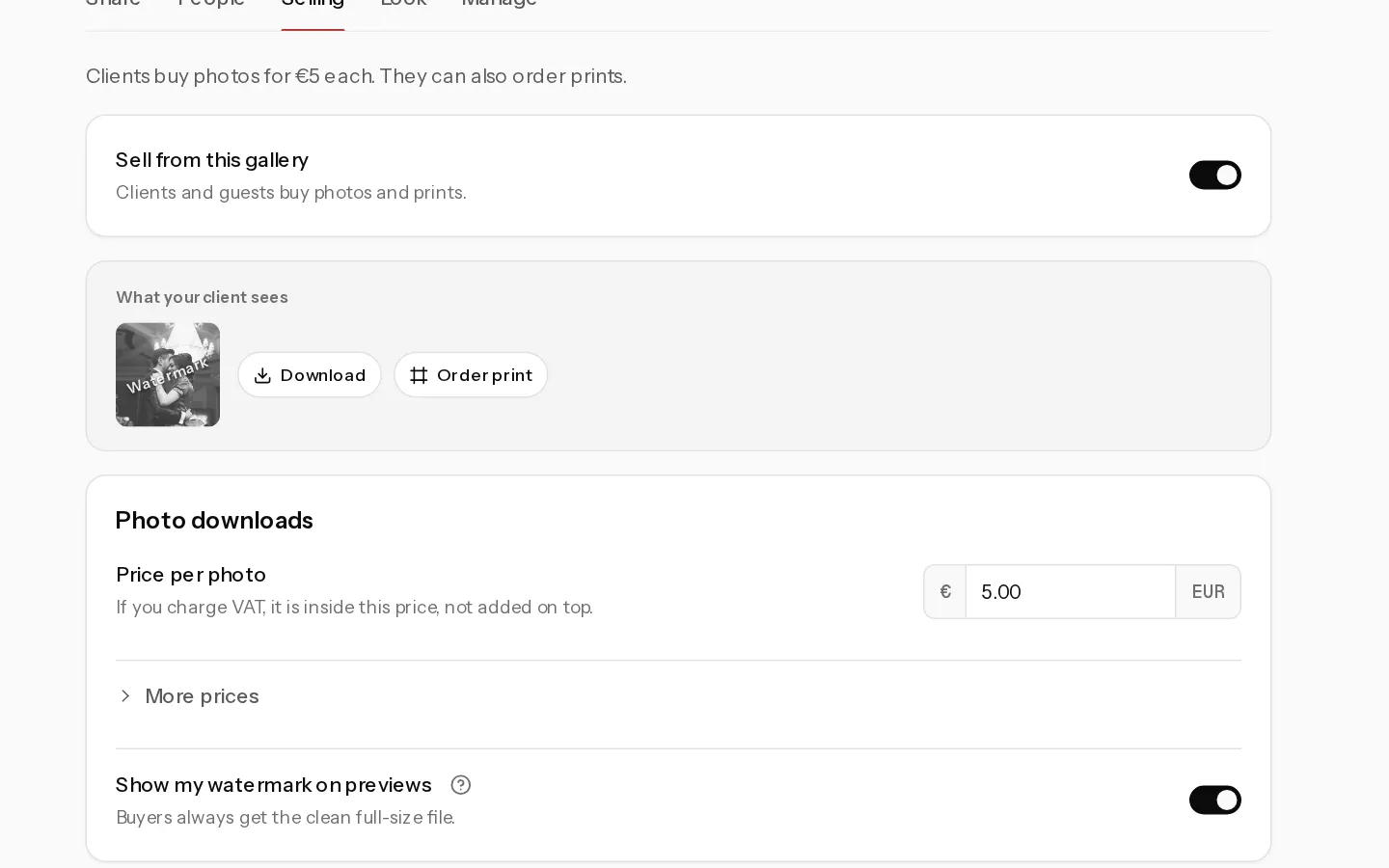
Your client and guests buy full-size downloads straight from the gallery. The money goes to your own Stripe account. Selling is available on Starter, Pro and Studio.
Turn selling on
- Open the gallery and select Settings, then the Selling tab. If you see Set up payments, connect Stripe first.
- Switch on Sell from this gallery. A gallery with no price yet starts at €5.00 a photo, and the watermark comes on.
- Under Photo downloads, type your Price per photo and click outside the field to save it. A price runs from €0.50 to €100,000.
- For one price on everything, open More prices and fill in Price for the whole gallery. Leave it empty to sell photo by photo only.
Prices include VAT. If you charge VAT, it comes out of the price, not on top. See Charge VAT on what you sell.
Note: While you sell, free full-size downloads are off. Free web size stays where you set it in People.
What your client sees
The What your client sees preview on the same tab shows the buttons and the price.
- Each photo has Buy, or Buy full size when a smaller size is free.
- Buy all appears only while the whole gallery price is less than the photos your client has not bought yet. Hidden photos are not counted or sold.
- Checkout runs on Stripe. A discount code goes in Discount code (optional).
- After paying, your client gets an email with a link to every photo they bought, at full size.
Discount codes
Open Exposure and use New discount code: a Code, a % off and optional Max uses, then Add code. A code takes a percentage off the whole cart, in every gallery.
Where sales show up
Each sale sends you an email headed "New sale" with the gallery name. Exposure lists your earnings after fees and the revenue of each gallery.
Stop selling
Switch off Sell from this gallery. A checkout already open can still be paid, and photos already bought stay with your client.
Switching off also stops print and album sales and clears your prices. If you switch selling on again, the gallery starts at €5.00 a photo with no whole gallery price.
Did not find your answer?
Tell us what you are trying to do. Support replies by email.