Change your selling currency
Pick the currency your downloads, films, prints and session packages sell in, and convert the prices you have already set.
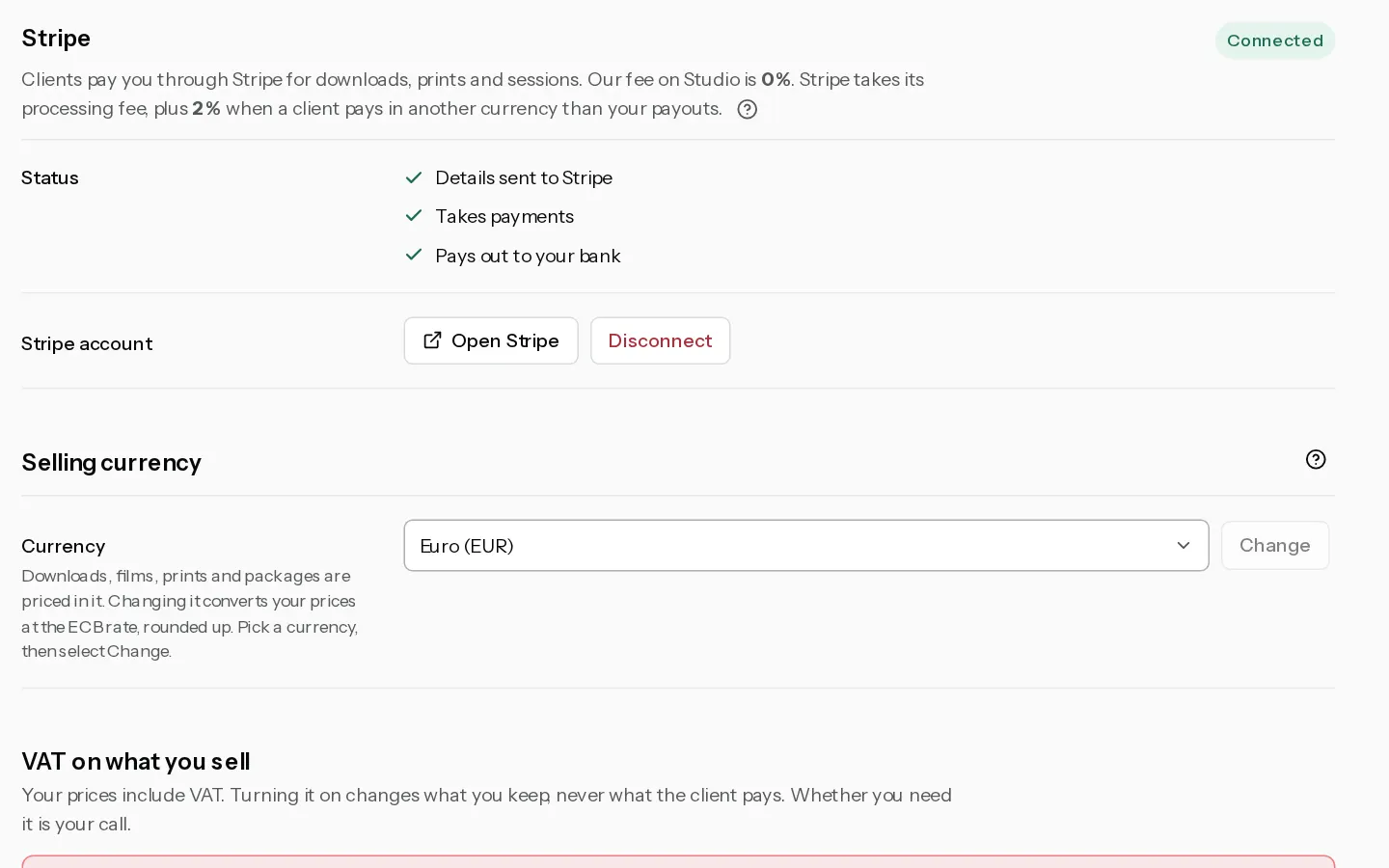
Everything your clients buy from you is priced in one currency: downloads, films, prints, printed albums and session packages. A new account sells in euros until you change it.
Change it
- Open Settings, Payments.
- Under Selling currency, pick a Currency. There are 20 to choose from.
- Select Change. Nothing changes yet.
- Read the confirmation. It counts the galleries, price sheets, packages and books that convert, and shows up to three of your prices before and after.
- Select Change currency, or Cancel to keep your prices as they are.
Only the account owner can change the currency, and only once their email address is verified. Inside a studio, Settings belong to the owner's own account.
What converts
- On every gallery: the price per photo, the whole gallery price and the price per film.
- Every price sheet, with its free shipping threshold.
- Session packages: the price and a fixed deposit. A deposit set as a percentage stays a percentage.
- Printed albums your client has not approved yet.
Each price is converted at the European Central Bank rate and rounded up to a whole unit, such as a whole dollar or a whole yen. It never goes below the smallest price for the new currency. A price left empty or at 0 stays that way. A gallery that already had its own dollar prices keeps them when you switch to USD.
What stays as it is
- Bookings, gallery orders and print orders already paid keep the currency they were paid in.
- Printed albums your client approved or ordered keep the price they agreed to.
- Your Xposure plan. It is billed on its own and does not change.
Booking insights counts only payments in the currency you sell in now, and says how many it left out.
Note: Rounding a package's price and its fixed deposit up separately can leave a deposit or balance too small for a card. The confirmation lists those packages before you confirm. They convert all the same, so open each one in Packages afterwards and fix its price or deposit.
If the change is refused
- Exchange rates are being updated. Try again in an hour. The rates are more than five days old. Nothing was changed.
- One of your prices is too high to convert to USD. The message names the new currency. Lower that price and try again.
After a change, a page left open from before it cannot save prices. It says Your selling currency changed. Reload to see the new prices. Reload it.
If your Stripe account pays out in another currency, the settings page says so. Stripe converts each sale, and its conversion fee of about 2% is added to the Xposure fee. See Check the fees on your sales.
Did not find your answer?
Tell us what you are trying to do. Support replies by email.