Download your photos
Save one photo, your favourites or the whole gallery, and buy full-size files when your photographer sells them.
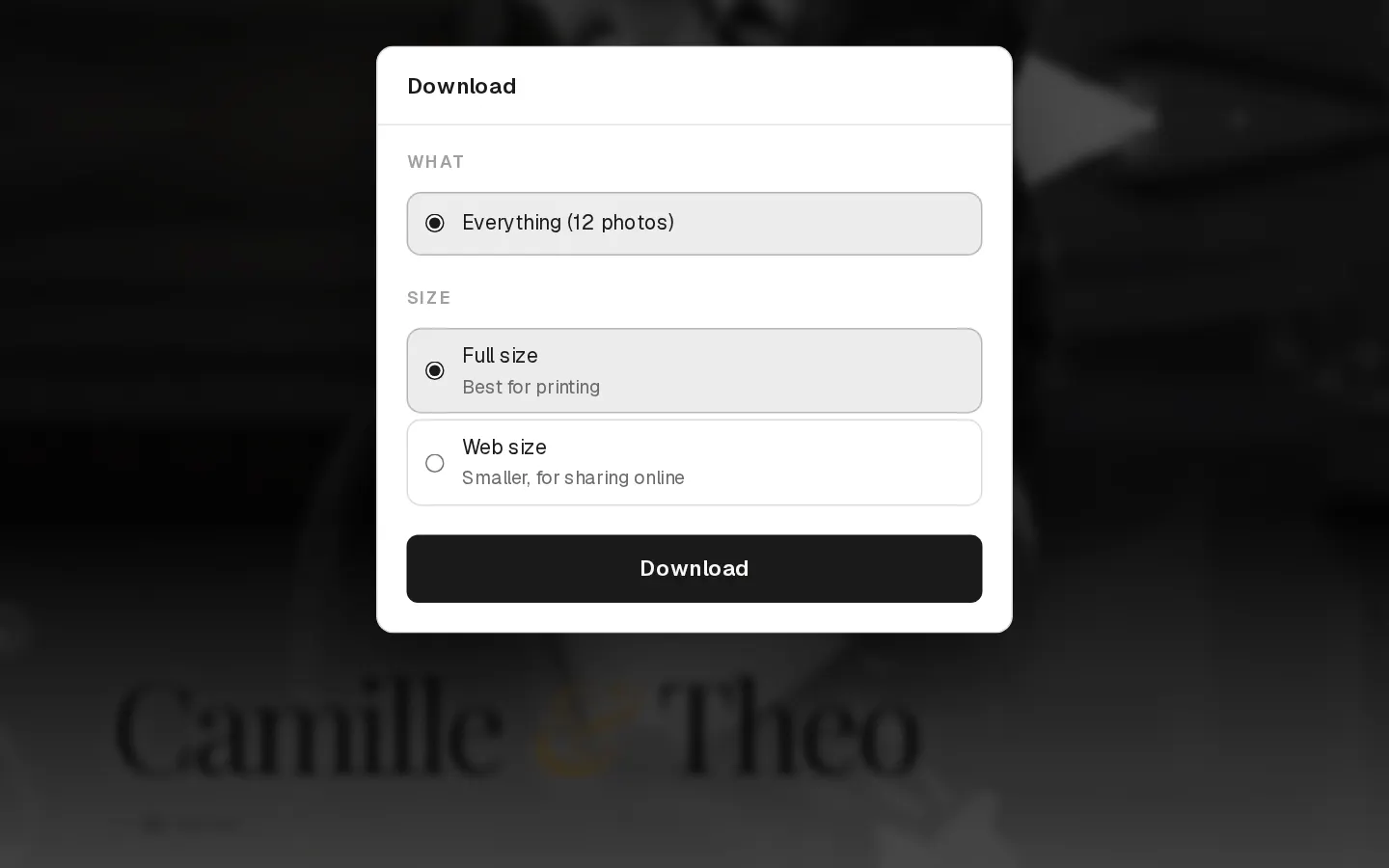
Your photographer decides what you can download for free: full size or web size. When they sell photos, you can buy what is not free.
Download one photo
On a computer, select the download button on the photo. On a phone, open the photo, select download, then Save photo: it goes to your photos through the share sheet.
Download several photos
- Select Download at the top of the gallery.
- Under what to download, choose Everything, your favourites or a list, or one or more sets.
- If you can choose a size, pick Full size for printing or Web size for sharing online.
- Select Download. Larger downloads take a moment to prepare. Keep the window open until it starts.
You get one zip file.
Note: On a phone, photos inside a zip do not go to your camera roll. Save the ones you want one by one instead.
Buy photos
- Select Buy on a photo, or Buy full size when a smaller size is free.
- Under Digital download, select Add download to cart. Some galleries also offer all photos at once with Buy all at the top.
- Open the cart and select Checkout.
- Enter your email, and a discount code if you have one, then select Continue to payment and pay on Stripe's secure page.
The download link comes by email. It opens Your downloads, with Download all and a button for each photo, all at full size. The link keeps working, also after the gallery closes, for as long as your photographer keeps the gallery. If your payment is refunded in full, the photos it bought are no longer included. Keep the email: it is how you get back to your files.
Photos cannot be bought or downloaded for free once the gallery has closed. If downloads are off, the gallery says so. Ask your photographer.
Questions about your photos?
Your photographer answers questions about your gallery, order or session. Reply to their email. Contact support only when the site itself does not work.