Turn on print sales
Make a price sheet with your print prices, then switch on prints in a gallery so your client can order them.
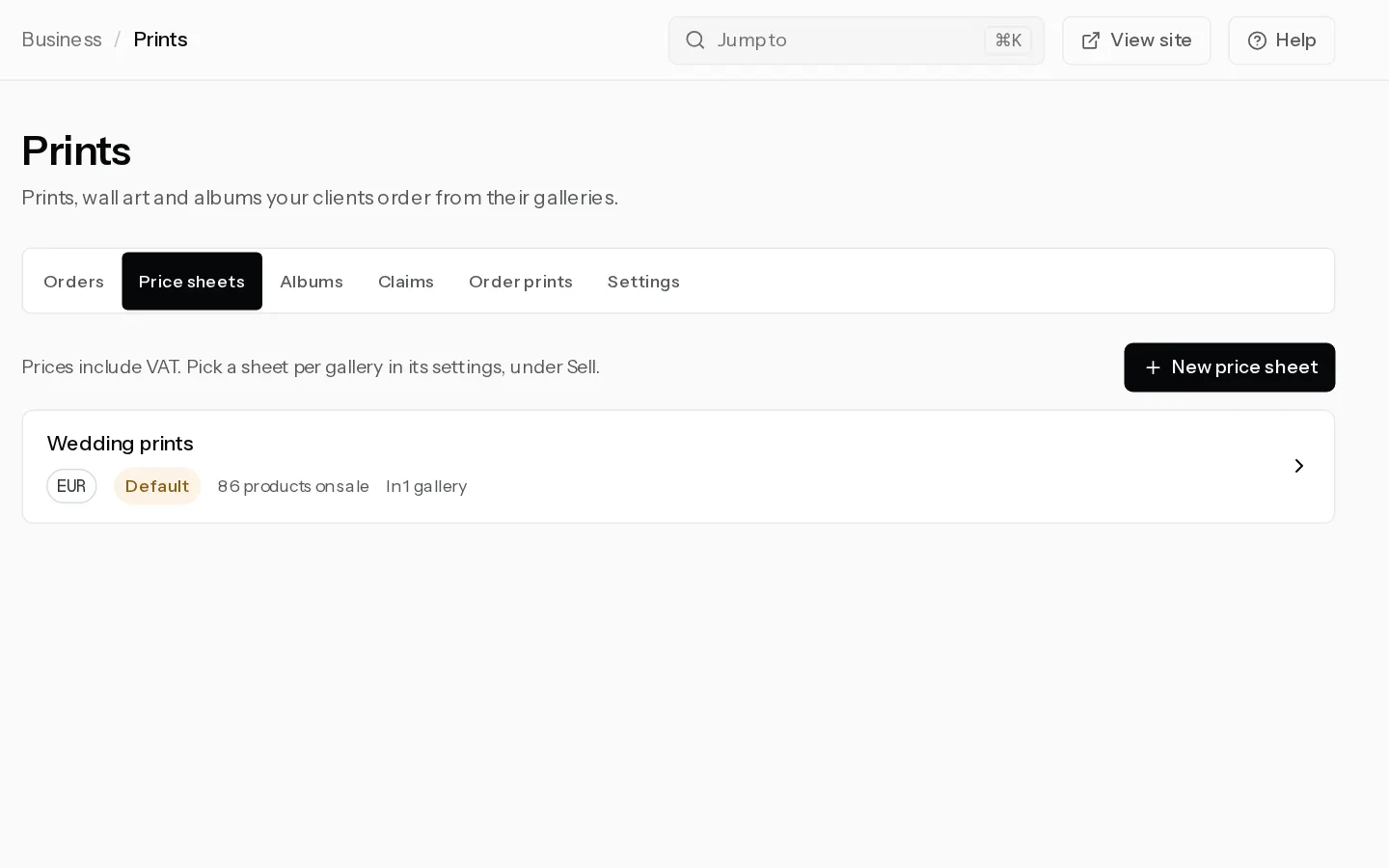
Your client orders prints of any photo in the gallery. Our lab, Prodigi, makes and ships them, and you keep the difference. Print sales come with Starter, Pro and Studio. A trial cannot sell prints, unless Xposure gave you a complimentary account.
Make a price sheet
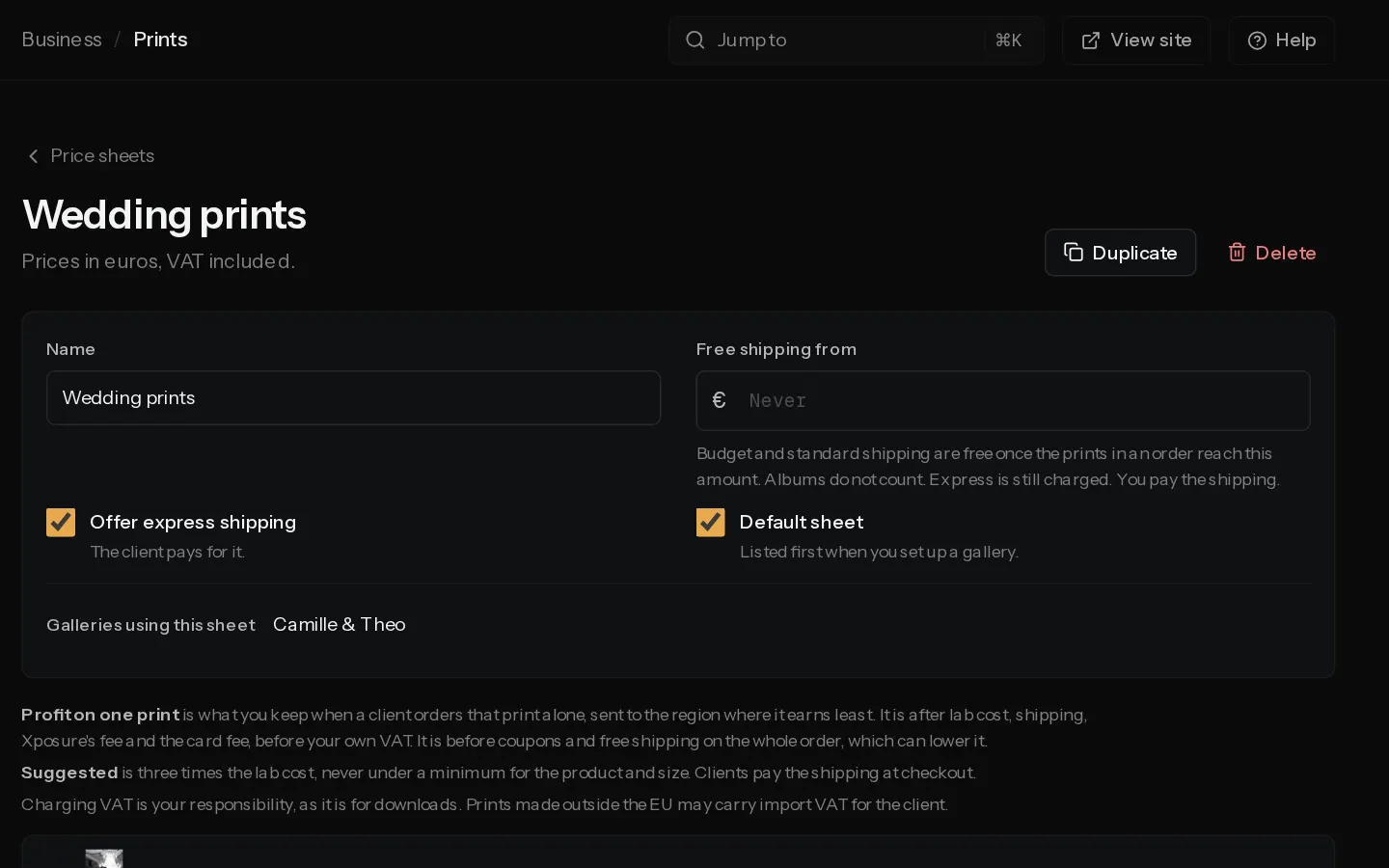
A price sheet sets what your client pays for each product and size. You can use one sheet in many galleries.
- Open Prints and select the Price sheets tab.
- Select New price sheet, give it a Name and pick the Currency, then select Create.
- Open a product group and switch on each size you want to sell. Type a price, or select Use next to Suggested: three times the lab cost, never under a minimum for that product.
- Check Profit on one print on each card. It is what you keep from that print ordered alone, after lab cost, shipping, fees and any VAT you collect, in the region where it earns least.
- Set Free shipping from if you want it, and choose whether to Offer express shipping.
- Select Save price sheet.
Prices include VAT. A card that shows Below cost in some regions cannot be ordered there, and Markup under 15% warns of a thin margin.
Sell prints from a gallery
- Open the gallery and select Settings, then the Selling tab. If you see Set up payments, connect Stripe first.
- Switch on Sell from this gallery, then Sell prints. Your default price sheet is picked. Sell prints stays off until you have saved a price sheet.
- To use another sheet, choose it under Price sheet.
To sell prints without downloads, empty Price per photo after prints are on. See Sell downloads and set prices.
Note: With Free shipping from set, budget and standard shipping are free to your client once the prints reach that amount. You pay that shipping. Express is still charged.
Fees
On Starter, Xposure keeps 10% of your markup: the price, less lab cost, and the shipping your client did not pay. On Pro and Studio it keeps nothing. Stripe's processing fee comes out of every order. See Check the fees on your sales.
A client with a US address pays in dollars when the gallery also has a dollar sheet, under Clients paying in dollars. Everyone else pays in euros, unless the gallery has only a dollar sheet.
Every order with prints waits for your check before it goes to the lab. See Check and approve print orders.
Did not find your answer?
Tell us what you are trying to do. Support replies by email.