Set when a gallery closes
Choose when a client gallery stops opening, what your client sees after that, and how to extend it.
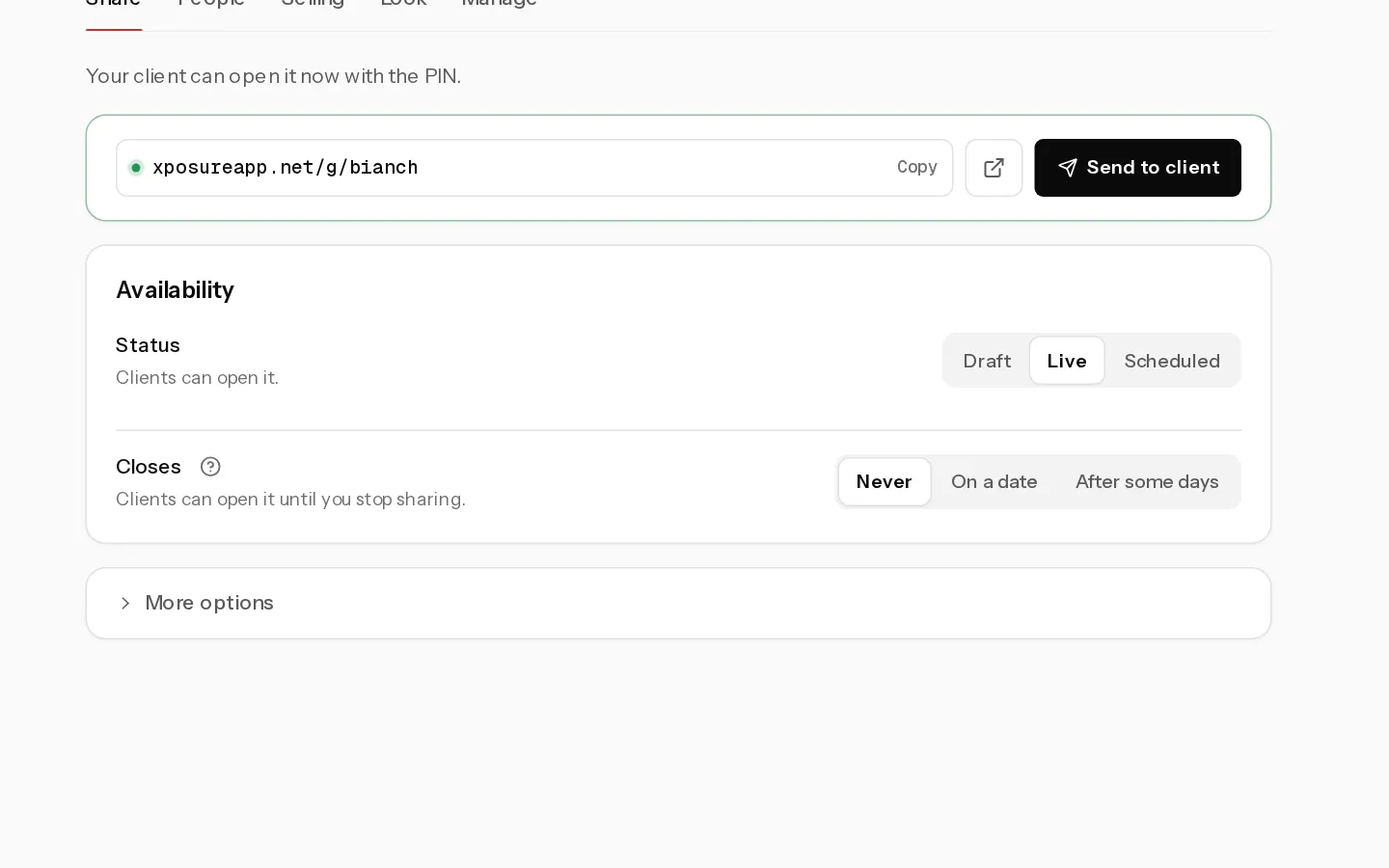
A closing date ends access to a client gallery on a set day. There is no separate download deadline: free downloads, buying and print orders all stop when the gallery closes.
Closing dates work on every plan that has client galleries: Starter, Pro and Studio.
Set a closing date
- Open the gallery and select Settings, then the Share tab.
- In Availability, under Closes, choose one:
- Never: the gallery stays open until you stop sharing it.
- On a date: pick a date and time in Closes on. The time starts at 23:59.
- After some days: type a number from 1 to 3650. The gallery closes at 23:59 on the last day. The line under the field shows the exact date.
- Leave the field. The date saves on its own.
The days count from today, or from the opening date when the gallery is Scheduled to open later. The closing date has to be after the opening date.
If you emailed the gallery with Send to client, the people you sent it to, and visitors who gave their email in the gallery, get a reminder 7 days and 1 day before it closes. In the last 7 days the gallery itself also shows a line under the cover, for example "This gallery closes on Sunday 12 October. Download your photos before then." Visitors can close it for the day.
What your client sees after it closes
Opening the link shows the gallery name and "This gallery closed on" with the date. The photos, favourites and downloads are no longer reachable.
- Photos your client already bought stay downloadable.
- Nothing is deleted. Photos, PINs, favourites and prices stay in your dashboard.
Note: You cannot use Send to client on a closed gallery. Change the closing date first.
Extend or reopen
- In Share, under Closes, pick a later date, or choose Never.
- The gallery opens again straight away with the same link and PIN.
Open on a date
On Pro and Studio you can also set when the gallery opens. Under Status, choose Scheduled and set Opens on. Until then your client sees a countdown, in the style you pick under Countdown style.
Related: Send the gallery to your client.
Did not find your answer?
Tell us what you are trying to do. Support replies by email.