Check what counts as storage
See which files use your storage, what each plan includes, and what happens when you reach the limit.
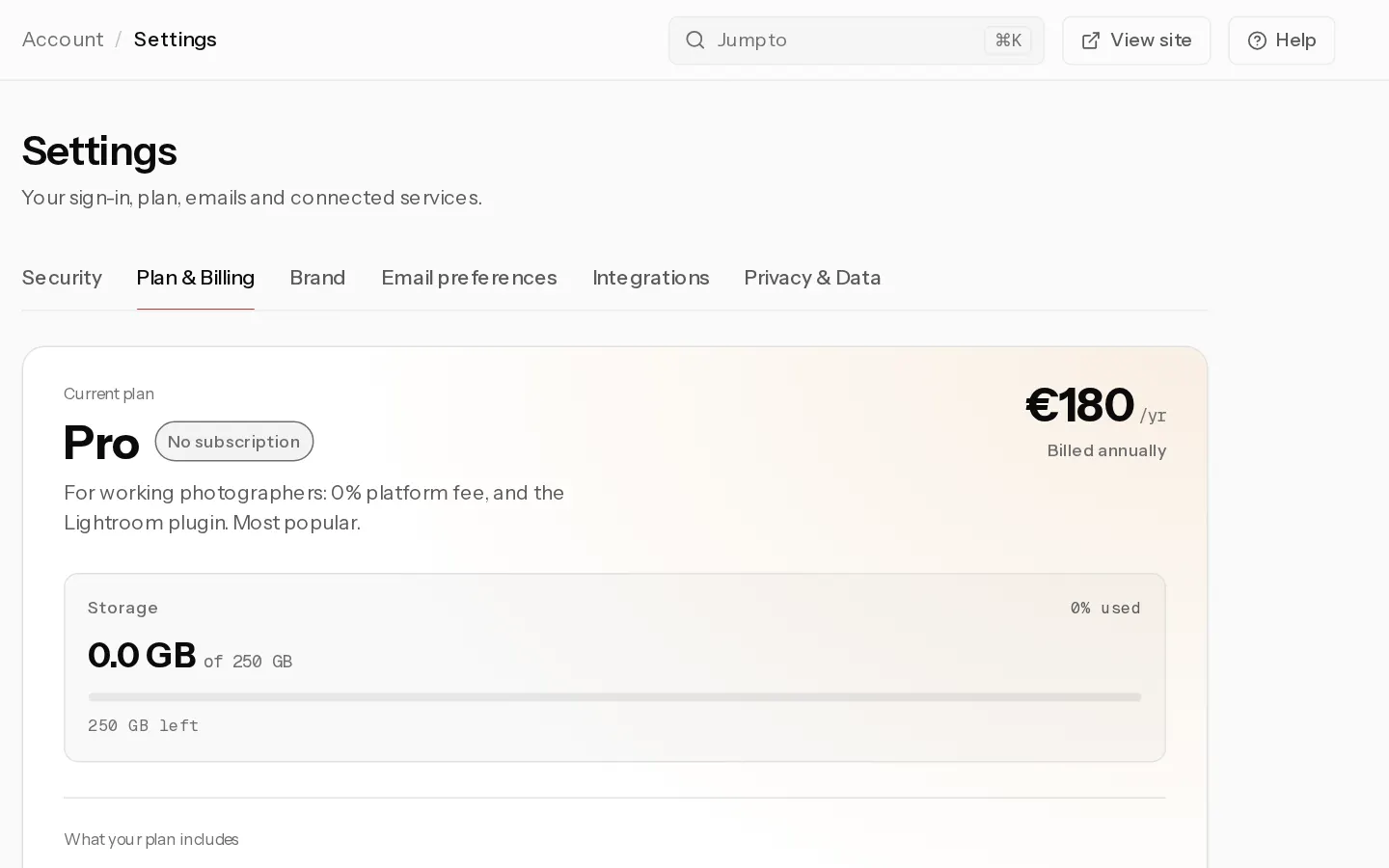
Storage is the one thing your plan meters. Galleries and photos are unlimited on every paid plan until the storage is full. Your usage shows under Storage in Settings, Plan & Billing.
Storage per plan
- Free: 1 GB
- Starter: 20 GB
- Pro: 250 GB, also during the trial
- Studio: 2 TB
A GB here is 1,000,000,000 bytes. On a paid plan you can add Extra storage in 50 GB blocks, up to 4 TB extra. Prices are on the pricing page.
What counts
- Every photo you upload, with the copies made from it: the full-size file, the web-size previews and a thumbnail. Together they come to more than the file you uploaded.
- RAW files, kept alongside a JPEG made from them. A RAW uses about 1.6 times its own size.
- Photo book pages you upload, and the packing slips and cards you add to print parcels.
- Your logos, profile picture, portfolio images and signed contract PDFs.
- Uploads by your team members, on Studio.
- Download ZIPs your clients ask for, while they exist. They are temporary copies, deleted about an hour after they are built.
What does not count
- Your data exports.
- Print files and print claims, and the album previews Xposure makes for photo books.
Deleting a gallery or photos frees the space. The meter updates within the hour.
At the limit
We email you at 80% and at 95%. At 100%, new uploads stop with "You have reached your storage limit".
Important: More than 10% over the limit, for example after a downgrade or the end of the trial, your account is soft-locked. Your portfolio, client galleries and booking page go offline and you cannot add photos or send galleries. Upgrade, add storage or delete files, and everything comes back online. Nothing is deleted.
Did not find your answer?
Tell us what you are trying to do. Support replies by email.